I want to replace the FirstPersonCharacter with a static camera to avoid accidental inputs that move the camera and to tweak some camera settings.
I created a graph in the Level Blueprint to call the Chat_WB but it’s not showing some elements of the UI and the Chat function doesn’t work.
What am I missing?
I appreciate any help!


Hello @Christopher_Strommer, to resolve this issue you can use the Convai Convenience Pack.
Here’s how to integrate it step-by-step:
-
Import the Convai Plugin to your project, if you haven’t already.
-
Download the Convenience Pack from our GitHub: Convai Convenience Pack - GitHub
-
Unzip and place the
ConvaiConveniencePackfolder into your project’sContentdirectory. -
Open your Character Blueprint:
-
If your current Parent Class is
ConvaiBaseCharacter, revert it (you don’t need to change the Parent Class). -
In the Components section, add
BP_ConvaiChatbotComponentandFaceSync. -
In the Details panel of
BP_ConvaiChatbotComponent, enter your Character ID. -
Click on the
Bodycomponent, and set Anim Class toConvai_Metahuman_BodyAnim. -
Click on the
Facecomponent, and set Anim Class toConvai_Metahuman_FaceAnim.
-
-
Add your character to the Level.
-
Open your Player Blueprint:
-
You don’t need to change the Parent Class.
-
Add the
BP_ConvaiPlayerComponentin the Components section.
-
-
Copy Input Nodes:
-
Go to
ConvaiConveniencePack/Sample/BP_ConvaiSamplePlayer. -
Scroll to the bottom and copy all nodes related to:
-
Hold T to talk
-
Press Enter to type
-
Press F10 to open settings
-
-
Paste them into your own Player Blueprint.
-

Character Blueprint
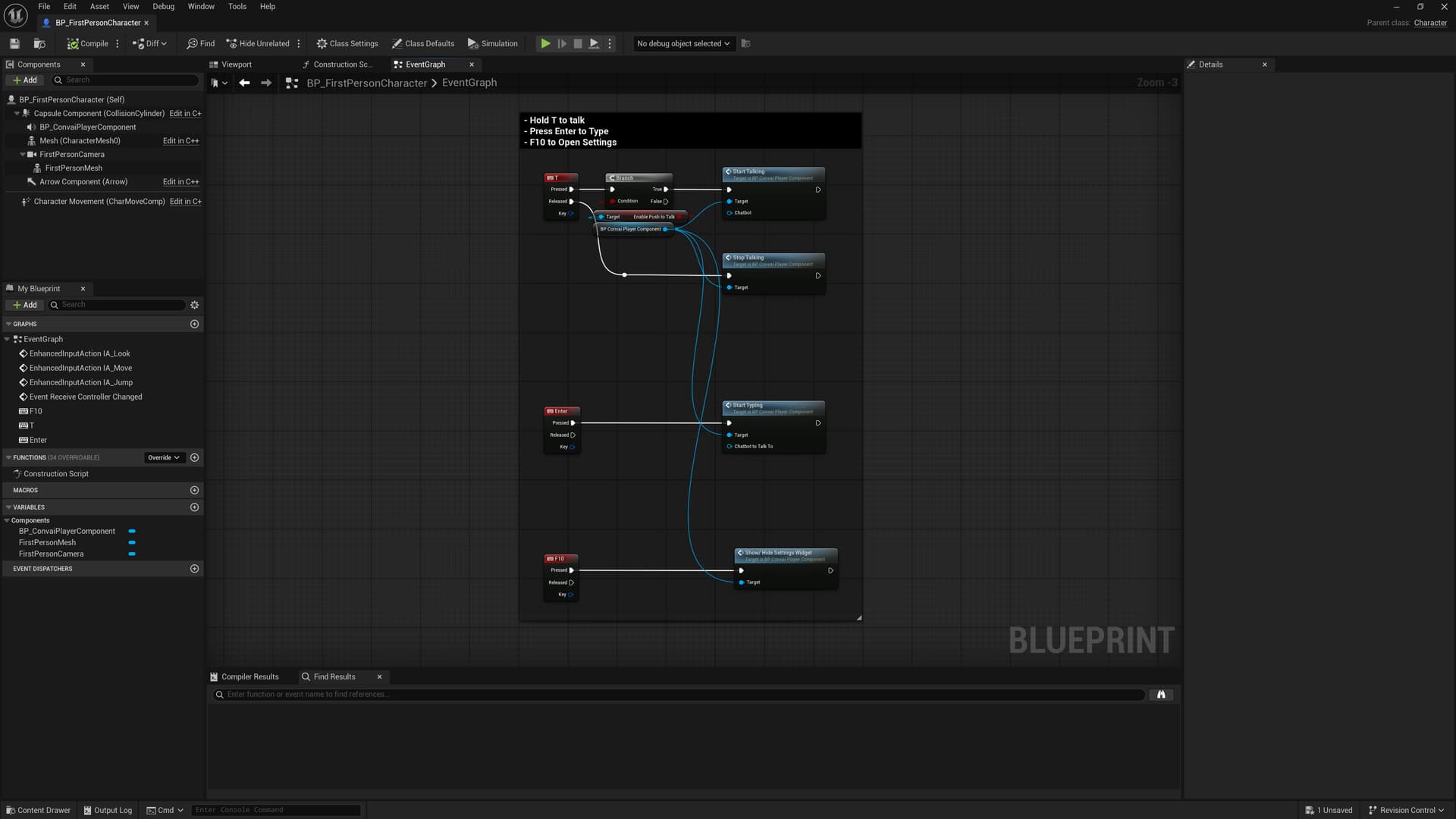
Player Blueprint