Hi, i have made a Quest 3 AR APP where the character spawns from a blueprint(since i need it to spawn using room anchors). But i cannot seem to assign ref. objects for it to interact with. The character does not know any the objects. I’m also not being able to assign the meshbounds volume, so the character does not walk at all. Any help on how to walkaround this problem?
Thank you,
Hello @stives_balla,
How do you reference objects and why you can’t add NavMesh Bounds?
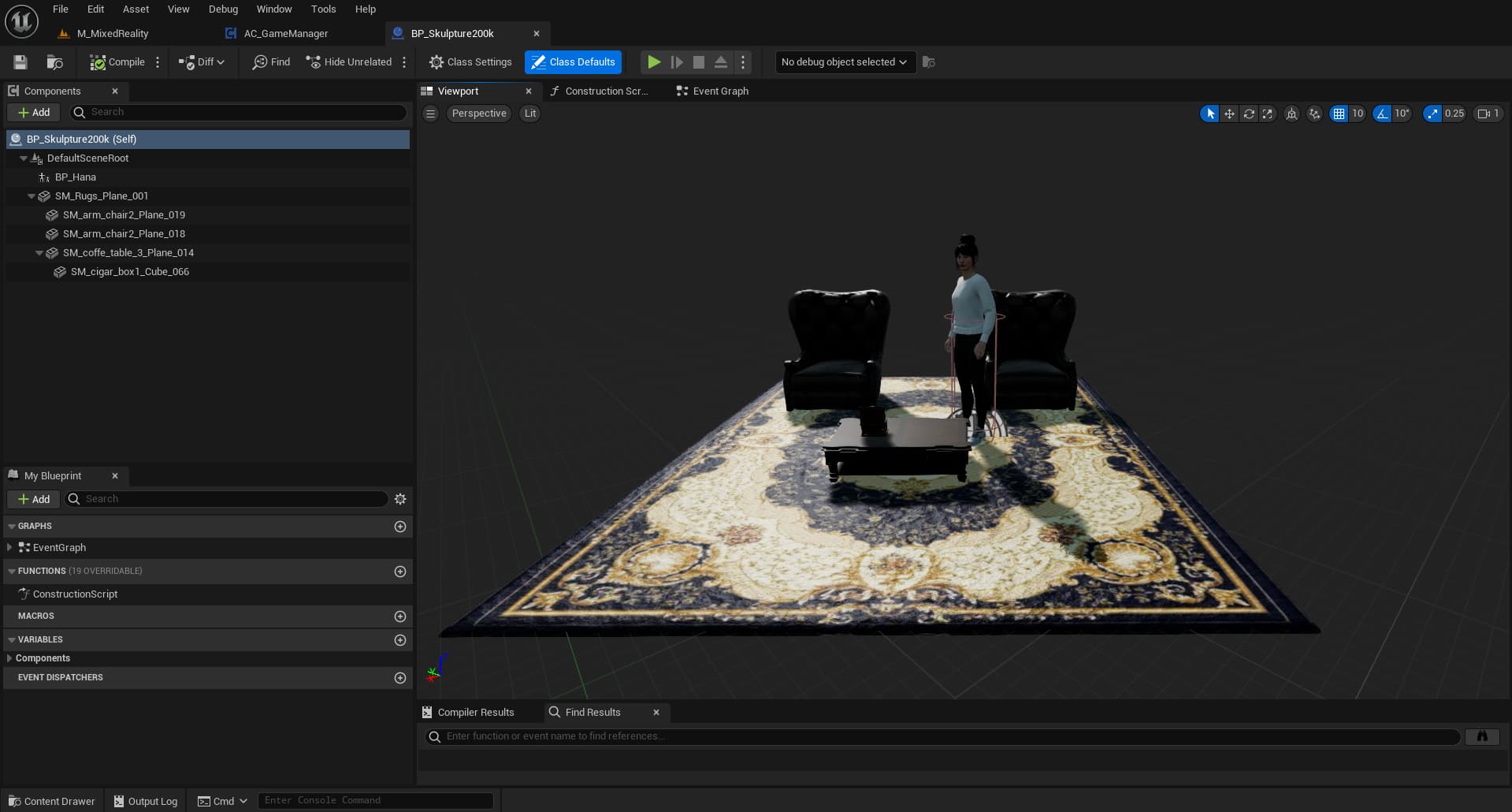
@K3 The app consists on spawning the character on the middle of the room. The app does that by recognising the floor through the MRUK Anchor Actor Spawner. After recognising the floor, it puts the character in the middle of it (screenshot 1). So, since all this happens inside the GameManager blueprint(not directly in the main level):
- I’m not able to reference objects to the character. The drop down list has just objects from the main level, but i want to assign objects that are in the GameManager blueprint (Screenshot 2).
- The NavMesh Bounds Volume is also not recognised by the character. I’ve tried putting it on the main level, then on the blueprint. the character still does not move
- The character does not recognise where i am, it looks in one direction all the time, does not rotate as i move.
Sorry if these are beginner questions, but i’m not finding a way to go around this problem.

There are previous topics related to this that you can review before creating a new post:
https://forum.convai.com/t/ue5-adding-npc-interactable-objects-dynamically/3201/2
As for the NavMesh bound, this is related to your Unreal Engine level setup. Convai only returns the Action. For the character to move, the NavMesh must be correctly configured in your level. I recommend checking the Unreal Engine forums for detailed setup guidance.