hi
we are currently integrating a custom character using the Convai_Realusion_AnimBP and following this tutorial AI Characters with Custom Avatars in Unreal Engine Convai Unreal Engine Tutorial
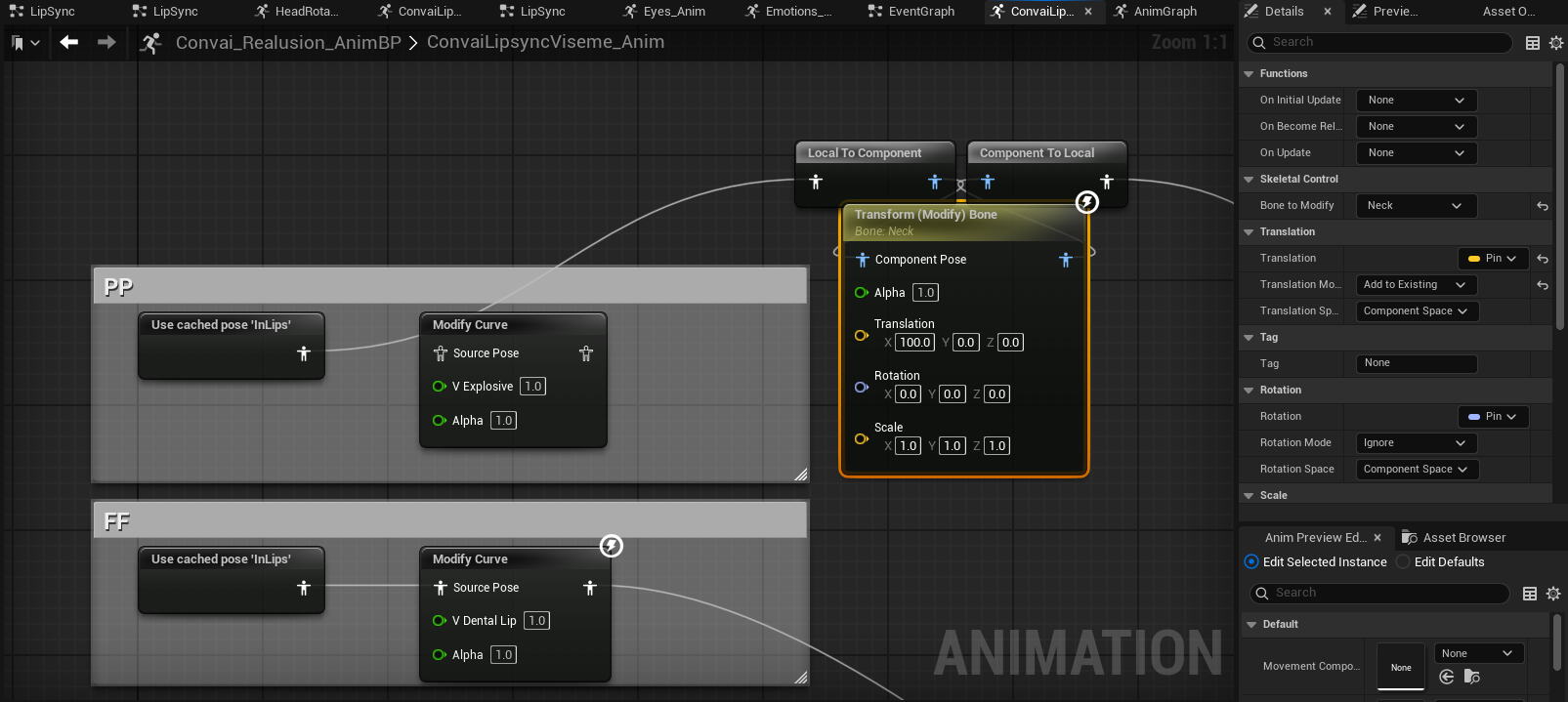
editing the ConvaiLipsyncViseme_Anim, when adding a new BP of Modify Curve, the morph target names of the used skeletal mesh is not appearing
any kind of help is appreciated
thank you
Hi @Jan_Windelle , you need to ensure that when importing the character into unreal that you enable “Import Morph Targets“ in the import dialogue.
hi @Mohamed
I am using UE 5.5 and ConvaiRealusionContent_v0.2.4
I can see the Morph targets from the skeletal mesh
but when I am looking for the morph target name when creating a Modify Curve node in the Convai_Realusion_AnimBP, it doesn’t show up
I do can confirm that modiying the bone works though in the Convai_Realusion_AnimBP
can also confirm that modifying the morph target from the Actor BP is working as well
did I miss something with setting up the morph targets. thank you
From the looks of it, the morph targets should appear for you but there could be a skeleton mismatch in the anmation blueprint, try going to custom settings and ensure the target skeleton is the correct one.
Additionally under Preview Scene Settings also ensure that the correct sketon mesh is selected, then compile, save and restart the editor.
Finally, if that still does not work, try to create a new animation blueprint from scratch and see if the morph targets appear there, if it does then copy the content of the Convai_Realusion_AnimBP into that new one and continue from there, if it does not show still, the select the Modify Curve and under details change the curve map pin to be exposed.
Then pass in the morph targets in a map to the node.
Hope this helps!
thank @Mohamed for the suggestions. I did found out that there was error in importing curves and was posted in the Epic forums
Development
Character & Animation
Hi, I developed a Houdini based workflow which relies heavily on being able to import animation curves contained within character FBX files. The curves are used primarily inside of control rigs, similar to the metahuman face control curves. ...
Reading time: 3 mins 🕑
Likes: 6 ❤
thank you again and I hope anyone encountering this issue would be informed as well
solution: manually add the morph target names to the curves tab ( will wait until Epic can fix the problem in importing )