Hi all,
I’m working on a VR project in Unreal Engine 5.3 using the standard VR Template .Snap Turn and Teleportation work perfectly at first, but after I integrate the Convai Plugin , I start noticing input issues:
The Snap Turn either stops working or causes slight unwanted drift
Sometimes the InputAxis for SnapTurn gets mixed with movement (Pawn moves forward or backward instead of rotating)
K3
July 26, 2025, 11:12am
2
Hello @theportal102 , to resolve this issue you can use the Convai Convenience Pack .
Here’s how to integrate it step-by-step:
Import the Convai Plugin to your project, if you haven’t already.
Download the Convenience Pack from our GitHub: Convai Convenience Pack - GitHub
Unzip and place the ConvaiConveniencePack folder into your project’s Content directory.
Open your Character Blueprint :
If your current Parent Class is ConvaiBaseCharacter, revert it (you don’t need to change the Parent Class).
In the Components section, add BP_ConvaiChatbotComponent and FaceSync.
In the Details panel of BP_ConvaiChatbotComponent, enter your Character ID .
Click on the Body component, and set Anim Class to Convai_Metahuman_BodyAnim.
Click on the Face component, and set Anim Class to Convai_Metahuman_FaceAnim.
Add your character to the Level .
Open your Player Blueprint :
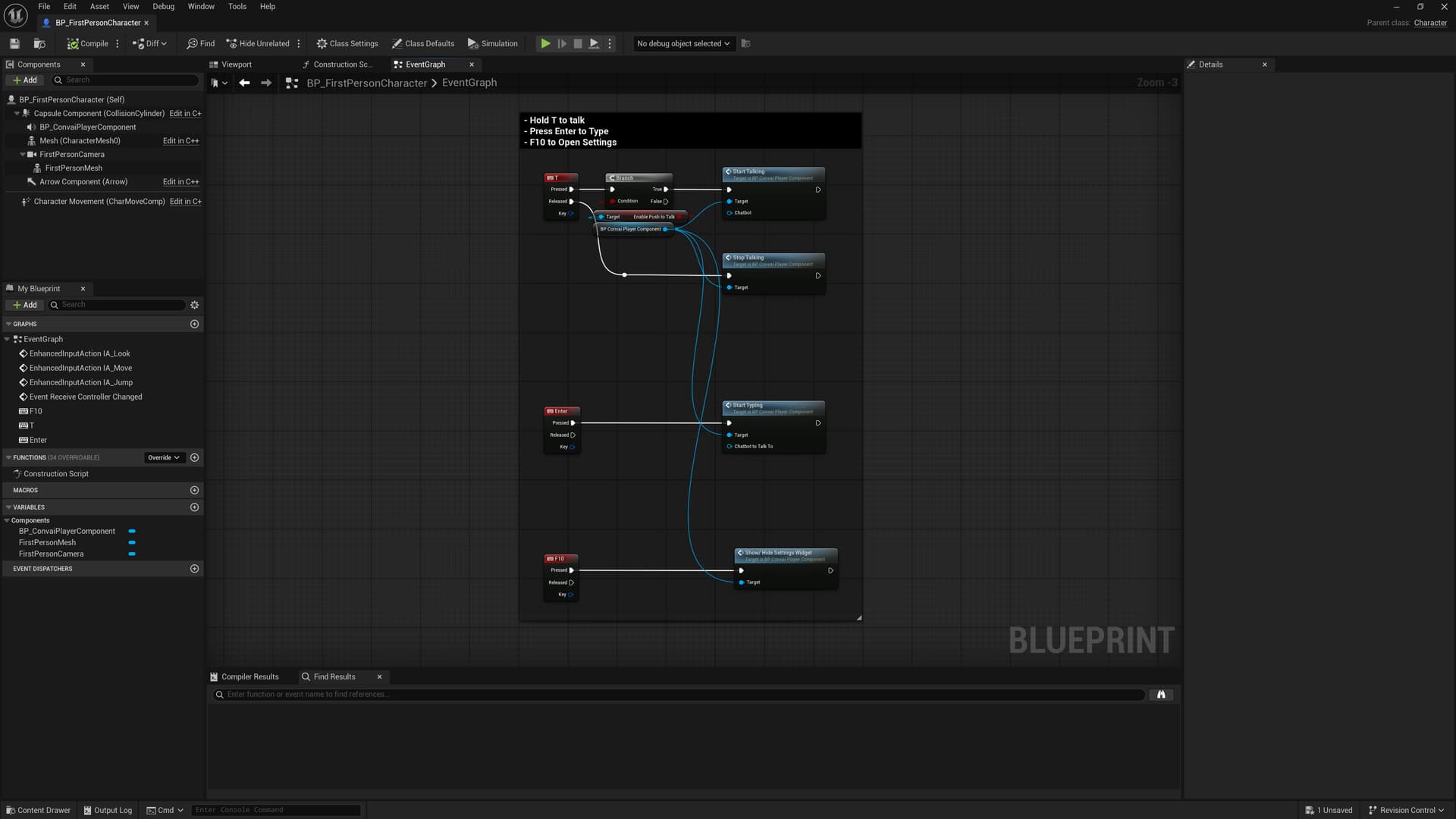
Copy Input Nodes :
Go to ConvaiConveniencePack/Sample/BP_ConvaiSamplePlayer.
Scroll to the bottom and copy all nodes related to:
Paste them into your own Player Blueprint.
You’re all set. After this setup, the snap turn and teleport functions should work as intended alongside Convai.
Character Blueprint
Player Blueprint