I am following the convai factory guide setup tutorial. The tutorial randomly worked out the speaking to the character feature along with the texts getting displayed on the screen. I am unable to do so (Pressed T, doesnt take input). I am using convai starter kit, convai playground for character development, an assets by convai itself“**NPC AI Engine - Dialog, actions, voice and lipsync”.
**
please help me enable voice input and build conversations with my factory tour guide
Hello,
Welcome to the Convai Developer Forum!
Could you please share the console logs?

The error is clear.

Add the following prefabs to your scene.
Assets/Convai/Prefabs/Utils/Convai Interactables Data.prefab
Assets/Convai/Prefabs/Utils/Dynamic Move Target Indicator.prefab
Clean up the ‘characters’ and ‘objects’ sections in the Interactables Data and adjust them according to your scene. If there are none, you can reset the lists. In the ‘Dynamic Move Target’ field, add the ‘Dynamic Move Target Indicator’ prefab that you added to your scene.
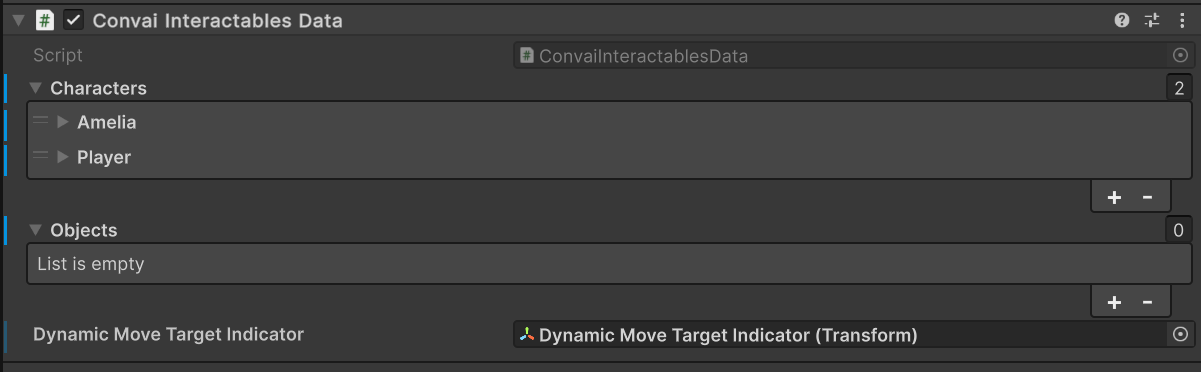
I made these changes, still unable to converse and interact with my character
Please share the console logs.

What happens when you try to talk to the character?
nothing is happening actually. I press on T but neither do i see the dialogue box nor am i able to converse with the npc
ok, I changed the positions of some items, added capsule collider, nav mesh agent etc and its fixed now. its working!
You can test it directly on our demo scene.