Chatbox out of view in Standalone View

Hi there,

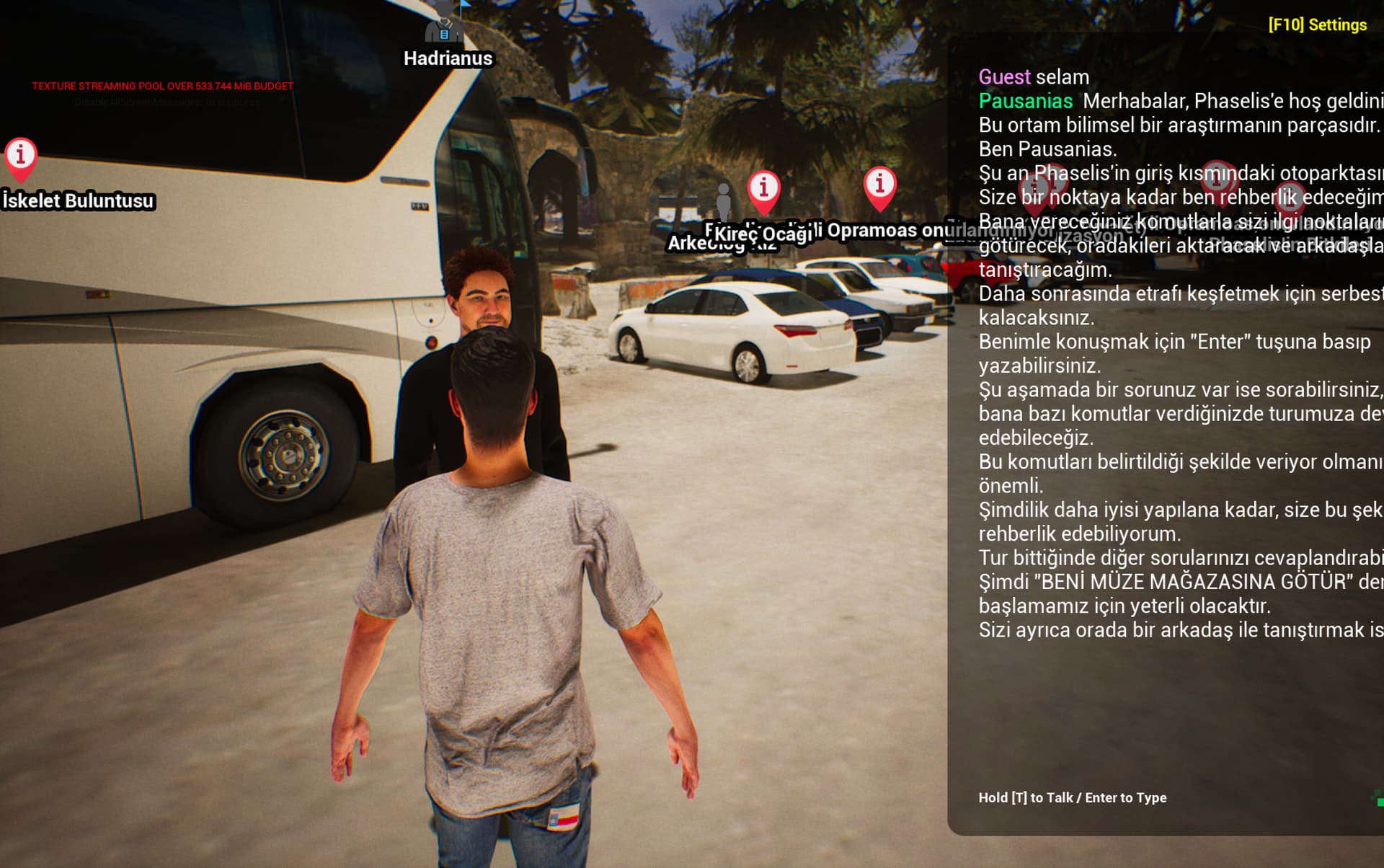
The chatbox is out of the screen when in standalone mode

It’s probably about my screen size or resolution settings but I couldn’t find a way to fix it

Preferences seem to be normal with native screen resolution

Any ideas on how to move it a bit to the left?

Or can I change the size of the chatbox at my own will in anywhere?

Hi Erennack,
To change the size of the chat widget, please check the Chat_WB widget.
You can find it in ConvaiContent/Widgets/Chat_WB. In the Event Graph, look for the Up date collapse node, which is being called on Tick. Inside this node, the position of the chat widget is being set.
You can modify it there according to your needs.

Hi there,

I can’t seem to find any pathway or any folders with or similar names such as ConvaiContent, nor can I find anything related to Convai within the content browser.

Though I have the plugin installed and it’s in use as can be seen in the screenshot above
Thanks for the response,

Any suggestions on where I can find Chat_WB?

Check Chat_WB in:
Content Browser → Plugins/ConvAI/Widgets

Make sure “Show Plugin Content” is enabled in Content Browser Settings to access it.